Tally to ERPNext migration
We move your books from Tally without losing history or confusing your auditor. Most of the work in a Tally migration is reconciling, not copying data across, and we don't switch you over until the trial balance in ERPNext matches the one in Tally.



Systems
What you get.
- Chart of accounts mapped carefully onto ERPNext's structure
- Customer, supplier and item masters deduplicated before import
- Opening balances and history to the depth you need
- A reconciliation report proving both systems agree before cutover
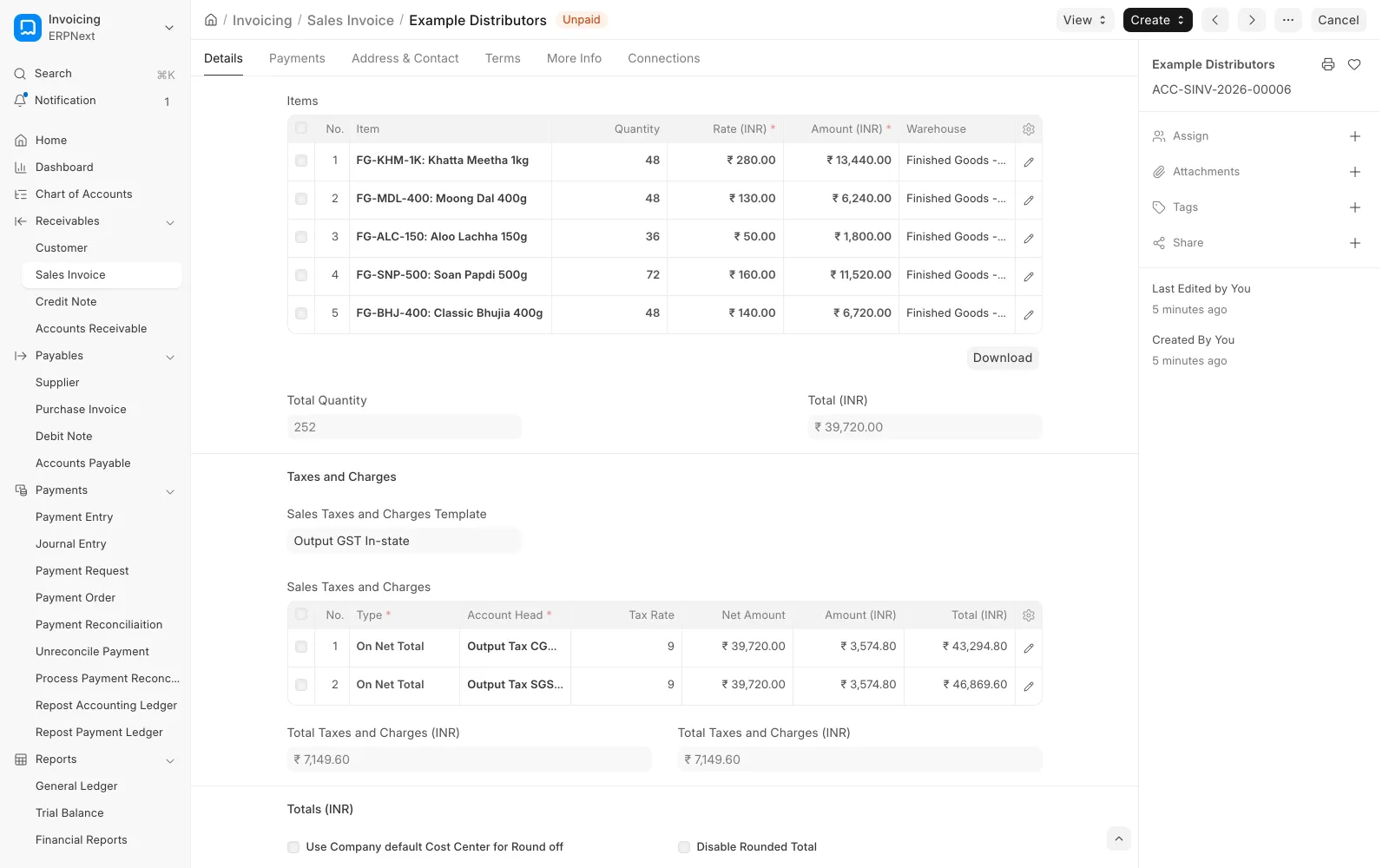
Proof
Who it's for
Businesses with the books in Tally and sales, stock or production somewhere else, who spend a week every month-end reconciling the two.
More on who this suits
Businesses whose accounts are in Tally while sales, stock or production run somewhere else. It usually comes to a head at month-end, when the two systems show different receivables and someone spends a week reconciling them.
What migrates
ERPNext has no Tally importer, so we write a mapping for your data and import it with ERPNext's own tools.
A mapping written for your dataWriting it is when we decide how each part of your books should look in ERPNext.
ERPNext v15 and v16 don't include a Tally importer, so we build every migration on ERPNext's own import tools with a mapping written for your data. That works in your favour, because writing the mapping is when we decide how each part of your books should look in ERPNext.
Chart of accountsTally ledgers and groups mapped onto an ERPNext chart.
We map Tally ledgers and groups carefully onto an ERPNext chart of accounts. In Tally each customer or supplier can be its own ledger, while ERPNext keeps them as customers and suppliers against one receivable and one payable account, so the structure changes on the way across.
MastersCustomers, suppliers, items, warehouses, cost centres and price lists, deduplicated.
- Customers and suppliers, deduplicated before import, with GSTIN, state and addresses
- Items with HSN or SAC codes, units of measure and item groups
- Warehouses, cost centres and price lists where you use them
Opening balancesLedger balances, open invoices one by one, and opening stock with valuation.
- Ledger balances as an opening journal entry on the cutover date
- Outstanding sales and purchase invoices brought across one by one through the Opening Invoice Creation Tool, so ageing and payment matching work from day one
- Opening stock by item, warehouse and valuation rate through a stock reconciliation
How much history to bring
You'll need to decide how far back to go, and there are three sensible options.
Balances only
Closing balances on the cutover date plus open invoices. This is the quickest and cleanest option, and Tally stays available, read-only, for anything older.
Current financial year
Every voucher since 1 April, so this year's reports run in one system.
Several years
The full transaction history. It helps with trend reports but costs a lot to reconcile, and auditors rarely need it if Tally is still accessible.
GST
We switch at the start of a return period, so no period is split across two systems.
How GST data comes acrossGSTINs, states, HSN codes and tax templates, then India Compliance from day one.
We map party GSTINs and states, item HSN codes and tax templates so the first invoice you raise in ERPNext has the right tax on it. Returns you've already filed from Tally stay as they are. We plan the switch for the start of a return period, so no period is split across two systems, and from then on returns, e-invoices and e-way bills run through India Compliance.
Reconciliation before cutover
We don't call the migration done until these three reports match Tally as at the cutover date.
- Trial balance, account by account
- Receivable and payable ageing, party by party
- Stock valuation, item by item and warehouse by warehouse
Cutover
A dry run, a second one if needed, then a freeze and the final import.
01
Dry run
A dry run with a full extract on a test site, followed by reconciliation
02
Fix and repeat
Fixes to the mapping, and a second dry run if the first one didn't match
03
Freeze
A freeze date agreed with your finance team, after which nobody enters anything in Tally
04
Final import
The final extract, import and reconciliation report, signed off before anyone raises a live invoice
Common mistakes we help you avoid
Duplicate customers and suppliers
Importing duplicate customers or suppliers, so one customer's balance ends up split across three records.
Receivables as one lump sum
Bringing in opening receivables as one lump sum, which leaves no invoices for incoming payments to match against.
Stock without valuation rates
Opening stock without valuation rates, which gets the cost of goods sold wrong from the very first sale.
Cutting over mid GST period
Cutting over in the middle of a GST return period.
Trusting an import that ran clean
Calling the migration done just because the import ran without errors. Every import template comes with a validator that checks it against the live site, and the reconciliation report shows whether the numbers really match.
How we work
Migration is usually one milestone inside an ERPNext implementation, so it follows the same six steps.
01
A call
30 minutes, no charge
02
Discovery
1 to 2 weeks, paid
03
Blueprint
Included in discovery
04
Build
3 to 8 weeks
05
Acceptance
1 to 2 weeks
06
Go-live and run
Ongoing
How it's priced and run
Migration is usually one milestone within an ERPNext implementation. If you're already on ERPNext, you can also hire us for the migration on its own.
We run it as an Implementation. The scope is fixed against a signed blueprint and we bill across four milestones instead of by the hour, so you'll know the price before work starts.
Every build follows our process. We start with a free call, then paid discovery and blueprint, then the build. Your team tests it on a separate site that gets wiped afterwards, and we go live with a runbook.
Questions buyers actually ask.
Not in v15 or v16. Older versions had one, but it was removed. We use ERPNext's own tools (the Chart of Accounts Importer, Data Import, the Opening Invoice Creation Tool and stock reconciliation) with a mapping written for your data.
Usually just balances and open invoices, or the current financial year. Bringing several years across is possible but costly to reconcile, and if Tally stays available read-only, your auditor can still look at older years there.
They stay as they were filed. We switch over at the start of a return period so no period is split across two systems, and after that you file from ERPNext through India Compliance.
We compare the trial balance, customer and supplier ageing, and stock valuation with Tally as at the cutover date. You sign the reconciliation report before go-live.
Yes, right up to the agreed freeze date. We do the dry runs on a separate test site with a full extract, so your daily work in Tally carries on as normal.
Not always. If you only use Tally for accounts and nothing else needs to connect to it, there's less reason to move. Have a look at our ERPNext vs Tally comparison before you decide.
Let's start with a call.
Thirty minutes, free of charge, and you won't sit through a sales deck.